
Build the App You Always Wanted Without Coding: A Naples Guide
By Zechariah Myrick · September 22, 2026 · 12 min read
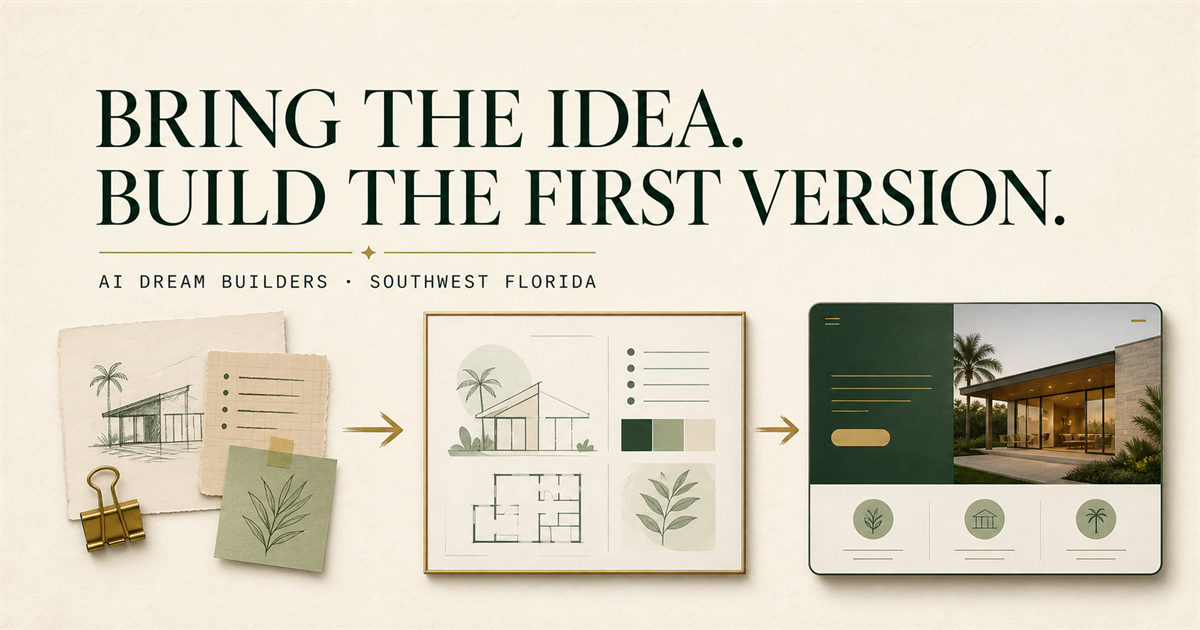
You can build an app without coding. Today's no-code and AI app builders let you describe what you want in plain English and get a working first version back. The catch is that the first version almost works, and knowing what to do at that point is the real skill. This guide walks through it in plain words.
This is for people in Naples and Collier County who have carried an app idea for years. A tool for your old industry. A scheduler for your condo association. A game for your grandchildren. Something you looked into a decade ago and were quoted a small fortune for. You are not a programmer and do not want to become one. I am Zechariah, and I run a one-person AI studio in Naples. I am independent and not affiliated with OpenAI, Anthropic, xAI, or Google, and I never ask for passwords. Here is how I would think through your idea.
The woman who ordered a nice house
Picture a woman in Naples, call her Ruth. She is fictional, but her story is not. Ruth hired a builder and told him she wanted “a nice house, three bedrooms, near the water.” The builder was fast and eager. Six weeks later he handed her the keys. The kitchen faced the garage. The master bedroom had no closet. The lanai was on the north side, where she would never sit. Nothing was wrong with the workmanship. Every choice she had not made, he had made for her.
Was the builder bad? No. Was Ruth foolish? No. She simply handed over a feeling and expected a plan back. AI app builders are that eager builder. They will build whatever you describe, and they will fill every blank with a guess. This guide is mostly about leaving fewer blanks.
The line to remember: the builder builds what you said, not what you meant.
What is the one-sentence test for an app idea?
Before any tool, finish this sentence: “This app lets [a specific person] do [one specific thing] without [the annoying thing they do today].” If you cannot fill in all three blanks, you do not have an app yet. You have a feeling. That is fine, but the tools cannot build a feeling.
- Who. Not “everyone.” A boat captain in Naples. A retired nurse tracking her medications. Your bridge club.
- What. One verb. Book, track, remind, calculate, share. If you need three verbs, you have three apps. Pick the first one.
- Instead of what. The paper notebook. The group text. The spreadsheet that nobody updates.
- Bonus question. Would that person actually open it twice? Be honest. This is where most ideas quietly end, and that is a good thing to learn early.
Write the sentence down. Every decision after this checks against it. If you already have a long ChatGPT conversation about the idea, my guide on turning a conversation into a one-page brief shows how to boil it down.
What do no-code and AI app builder actually mean?
Two plain definitions. A no-code builder is a website where you assemble an app by dragging pieces onto a screen and connecting them, the way you might build with blocks. An AI app builder is a website where you type a description and the AI writes the program for you, then shows you the result. Many products now do both.
- Bubble describes itself as a no-code builder where you can “switch seamlessly between AI prompting and visual editing to build scalable web and mobile apps.”
- Lovable says that “you describe what you want to build” and it generates a working application with the screens, the storage, sign-in, and connections, “all backed by editable code.”
- Replit Agent says it turns “your ideas into apps, designs, slides, and more, all from plain language. No coding required,” and that it writes code, sets up the plumbing, and tests the result.
I am quoting their own pages so you can see how they talk. I am not telling you one is best. They change monthly, they suit different projects, and the right one depends on your sentence from the last section. What matters is that the category is real. A person in Naples with no programming background can sit down on a Tuesday and have something clickable by Thursday.
Why do AI-built apps almost work?
This is the part nobody puts in the ads. You type your description, the AI builds something, and it looks great. Then you click the third button and nothing happens. Or it works for you but not for your friend. Or you ask for one small change and two other things break. This is normal. It is not you.
Here is the picture that makes it click. Imagine you hired a bright new assistant on his first day and said, “Set up the office for the meeting.” You come back and the chairs are out, the coffee is on, and the projector is aimed at a wall with no screen. He did not ask, because he did not know there was a question. He guessed, and most of his guesses were fine. The one wrong guess is the one you notice.
The AI does exactly this, hundreds of times, in seconds. You said “let members sign up.” It guessed how. You said “send a reminder.” It guessed when, to whom, and by what method. Most guesses are reasonable. A few are wrong, and the wrong ones hide until somebody uses the app for real. I wrote a full guide on getting from that state to something you can actually review: from AI-generated app to reviewable demo.
- Test with a real person who is not you, watching over their shoulder, before you show anyone else.
- Keep a plain list of what works and what does not. One line each. No technical words needed.
- Ask for one fix at a time. Asking for five fixes at once is how you get eight new problems.
- Save a copy that works before every change. Most builders have a version history. Learn where it is.
The line to remember: an app that almost works is a list of guesses waiting to be checked.
Never put real customer information, medical details, or financial records into a first-version app. Use made-up names and numbers until a person who knows what they are looking at has checked how the app stores and protects information.
What is a first version, and why should I want one?
A first version is the smallest thing that proves your sentence. If your sentence is “this app lets a condo board member post a notice so residents stop missing meetings,” then the first version is a page where a board member types a notice and residents see it. That is it. No logins, no photos, no comments, no colors chosen yet.
People resist this. They want the whole vision. But think about a golf swing. Nobody learns by playing eighteen holes on day one. You hit fifty balls off one mat with one club until something clicks. The first version is your one club. The whole vision costs ten times as much and teaches you nothing you could not learn from the small version in a week. The first version is not the product. It is the question, made clickable, so real people can answer it.
Should my app be for phones, a website, or both?
Start with a website that works well on a phone. Here is why in plain terms. An app you download from the App Store or Google Play has to be approved by Apple or Google, updated on their schedule, and built to their rules. A website you open in the phone's browser has none of that. It can look and feel almost the same, and it can be changed the same afternoon you find a problem.
- Website first if you are still learning what people want. Almost everyone should start here.
- Phone app later if you truly need something a website cannot do, such as working with no internet, or sending notifications that pop up on the lock screen.
- Both only when the website has proven itself and people are asking for the phone version by name.
What does it cost to keep an app running?
I will not quote numbers here because they change and depend on your app. But I can tell you the categories, so nothing surprises you. Think of it like owning a boat. The purchase is one number. The slip, the bottom paint, the insurance, and the guy who knows the engine are the numbers that keep coming.
- Hosting. The computer somewhere that keeps your app available all day. This is a monthly subscription, like a utility.
- The builder's own subscription. Most no-code and AI builders charge monthly to keep the app published and to let you make changes.
- Accounts for the pieces. If your app sends email or text messages, stores files, or takes payments, each of those is usually a separate service with its own account and its own small bill.
- A domain name. The address people type, renewed yearly.
- Somebody to look at it. When something breaks at 9 p.m. on a Sunday, who fixes it? That can be you, a person you keep on call, or nobody. Decide on purpose.
The good news is that a first version for a small group in Naples usually sits at the bottom of every one of those categories. The costs climb when the app succeeds, which is the right time for them to climb.
Who owns an app built with a no-code or AI tool?
The idea is yours. The description you wrote is yours. Whether you can take the finished app and move it somewhere else depends on the tool. Some builders give you the code, which means you could hand it to any developer later. Some keep the app inside their platform, which means leaving is a rebuild. Neither is wrong, but you should know which one you are choosing before you invest months.
I am not a lawyer, and the terms change, so read the specific service's terms and ask them directly if it is unclear. Also make sure every account, domain, and subscription is in your name, not a helper's. That includes me. A key that opens your own front door should be on your own ring.
Tricks nobody tells you
These are the moves I use in every session with a builder. None of them require a technical word.
- Make it interview you first. Before you describe the app, type: “Before you build anything, ask me eight questions about who will use this and what they do today.” Answer honestly. The app that comes back will have far fewer wrong guesses, because you filled the blanks before it did.
- Tell it who you are and who it should be. “I am a 69-year-old retired contractor. I have never written code. You are a patient builder who explains every choice in one plain sentence and asks before assuming.” This one line changes the tone of everything that follows.
- Ask for the list of guesses. After the first build, type: “List every decision you made that I did not tell you to make.” You will get ten or twenty lines. That list is your to-do list, and it is worth more than the app itself.
- Ask it to argue the other side. Before you add a feature, type: “Give me the strongest reason not to build this.” If you cannot answer it, wait. If you can, build it.
- The two-versions trick. “Explain what a database is like I am new here. Then give me the version for someone who has run a business for forty years.” You will understand the plumbing without learning to be a plumber.
- One change per message. Type one fix, wait, test it, then type the next. Five fixes in one message is how you get a builder that breaks three things while fixing two.
- Talk your screens into the phone. Hate typing? Open the AI on your phone, tap the microphone, and describe each screen out loud as if you were explaining it to a friend across the table. Then paste that into the builder. Spoken descriptions are often clearer than typed ones.
- Make a printable checklist. When the first version exists, type: “Give me a checklist a person with no technical background can use to test this app in ten minutes.” Print it. Hand it to a friend with a pen. Their marks are your next week's work.
Try this in ten minutes
You will not build the app in ten minutes. You will do something more useful: find out whether the idea survives one honest conversation.
- Write your one sentence on paper. Who, what, instead of what.
- Open ChatGPT, Claude, or Gemini. Type: “I am thinking about building this app. Do not build anything. Ask me the five questions a skeptical friend would ask.”
- Paste in your sentence. Answer all five questions out loud, then type your answers in.
- Now type: “Based on my answers, describe the smallest version of this app in three sentences, and name the one thing I should build first.”
- Read what comes back. Does it match what you had in mind? If yes, you have a first version described in plain words, ready to paste into any builder. If no, you just learned something in ten minutes that would have cost you a month.
- Save the conversation with today's date. That page is your brief.
What I would do first
- Write the sentence. Who, what, instead of what. Read it to somebody who would use the app and watch their face.
- Sketch three screens on paper. What they see first, what they tap, what happens. Pencil is faster than any tool and you cannot break it.
- Try one builder for one hour. Paste in your sentence and your three screens, described in words. See what comes back. Do not fix anything yet. Just notice how far it got and where it guessed wrong.
When to call someone
Picture a man in Naples, call him Frank. His boat took on water every time he went out. He sanded and painted the hull three weekends running. Beautiful job. Still leaked. A friend who had owned boats for fifty years walked the dock, looked for one minute, and pointed at a fitting under the transom that Frank had never heard of. Frank was not lazy. He worked on the part he could see.
Which was worth more: three weekends of sanding, or one minute of knowing where to look? Call when the builder gave you something that almost works and you cannot tell which part is broken. Call when you are about to put real people's information into it. Call when you have been circling the idea for years and want somebody to sit across the table and ask the blunt questions. Those are the moments where a person saves you both money and heart.
I work by phone, by video, or in person in Naples. We would take your sentence, decide the smallest first version, and figure out which parts you can do yourself and which parts need a hand. If you want a sense of how a first session goes, read what happens in a first AI idea session. When you are ready, call (239) 544-6990 or send me a note. Bring the sentence. Never send passwords.
Sources and local context
- Bubble: Build web & mobile apps with the only no-code AI app builder — Bubble
- Welcome to Lovable — Lovable
- Replit Agent — Replit