
Your Paperback Cover Fit Before. What Changed When You Edited the Book?
By Zechariah Myrick · November 8, 2026 · 7 min read
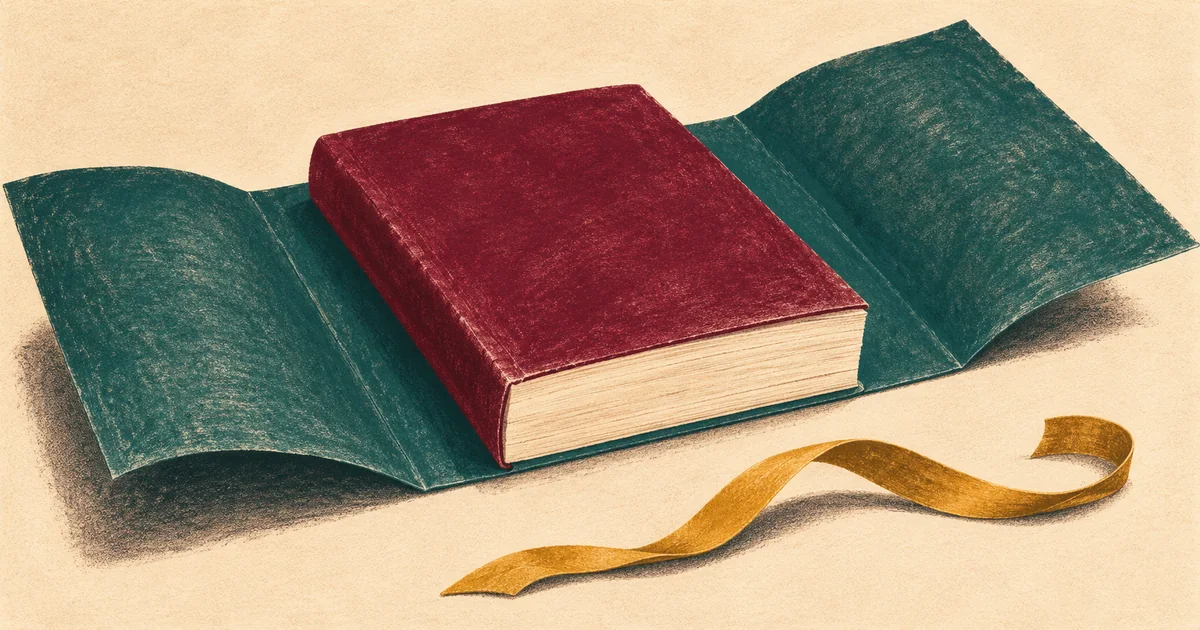
A paperback cover must match the finished interior and the printer’s specifications. If editing changes the formatted page count, the spine width may change too—even when the front artwork stays the same. Finalize the interior, confirm the paper and trim size, then generate a matching cover template. Reposition the cover elements to that template instead of stretching the entire design. Review the exported files together and approve a physical proof before ordering finished copies.
This is for an author in Naples or Bonita Springs who already has a manuscript and a cover they like. The obstacle is near the finish: an upload reports the wrong dimensions, the spine title is displaced, or the cover that worked for an earlier draft no longer fits. You may need file preparation rather than another round of writing or image generation.
The cover belongs to a particular version of the book
A front-cover picture is only one part of a print cover. The back, spine, and front form a continuous layout. The spine sits between two finished faces of the book, so its width affects the overall file width and where the artwork and text belong.
Amazon KDP’s print-cover calculator asks for binding, interior and paper choices, reading direction, trim size, and the page count at the formatted size. It generates dimensions and a downloadable guide. These inputs matter together. A template from another edition or a visually similar book is not a substitute for your current specifications.
Use the printer you actually intend to order from. KDP is one example, not a universal template for every print service. A local printer may specify another paper, binding, or cover setup. Ask for that job’s requirements before changing the design. Do not transfer measurements from a paperback to a hardcover merely because both have the same page dimensions.
Count the pages in the finished interior file
The number of pages in an early Word draft can change after you choose a book size, adjust spacing, move photographs, or add front matter. Start with the final formatted interior export that you intend to submit. Record its filename and page count alongside the selected print options. Include the actual pages in that file, rather than counting only numbered chapters.
If a typesetting or font problem is still moving paragraphs around, settle it before finishing the cover. Otherwise you are aiming at a changing target. The same applies to a late acknowledgments page, a photo section, or a new blank page inserted intentionally between sections. A small editorial change can be a production change too.
Keep a dated copy of the previous interior and cover. Give the new pair clear names, such as GardenBook-interior-03.pdf and GardenBook-cover-03.pdf. The names do not make the files correct, but they help prevent someone from uploading the new interior beside an old cover that happens to look familiar.
A fictional Bonita Springs gardening book
Imagine a fictional Bonita Springs author preparing a paperback about a coastal garden for friends in Naples and elsewhere. The author has approved a painted front cover and a short back-cover description. After reviewing the manuscript, they add a section of planting notes and photographs. The formatted interior becomes longer. This is an invented project, not an AI Dream Builders client or a measured printing result.
The front artwork has not changed, so the author assumes the old cover PDF is still ready. But the new page count requires a different spine in the chosen print setup. The old wraparound layout now describes the earlier book. Changing the upload filename does not change that geometry.
The proposed repair is to confirm the new interior, generate its matching template, and rebuild the cover placement around that template. The approved painting can remain the source artwork. The spine title and back-cover elements need to be checked in their new positions. The author also reviews whether the longer book affects the intended print order and budget before proceeding.
If the notes are then shortened and pages removed, the team checks the cover again. “We already fixed it” refers to a particular pair of files; it does not establish that every later version will fit. The useful handover makes that dependency understandable so the next edit does not restart the same confusion.
Move the design elements instead of stretching the whole cover
Scaling a completed cover until its outer rectangle matches a new width can distort the artwork and lettering. It can also move text toward a fold or trim boundary. Work from the editable design when available, with the front, spine, back, and background positioned deliberately. Keep the approved original artwork separate from this production layout.
KDP’s paperback-cover instructions require a single PDF containing back, spine, and front. The guide distinguishes bleed from safe areas: backgrounds reaching the edge extend beyond the trim, while important text stays inside the relevant boundaries. Follow the current template for the selected book instead of guessing where a fold will land.
A background texture that can extend naturally is easier to adapt than a narrow decorative frame running exactly along the spine. Where the artwork cannot be extended cleanly, discuss a revised composition or a simpler background with the author. Generating extra image content is a creative change that needs approval, not an invisible technical correction.
If the only available file is a flattened image, some elements may be difficult to move independently. Ask whether the original designer can supply an editable file or make the adjustment. Rebuilding text may be possible; recreating missing artwork or unavailable fonts can add work. Establish what you can preserve before agreeing the scope.
Check the actual export, not only the working screen
Open the final cover PDF on its own. Confirm that its page dimensions match the chosen template and that the template itself is not visible as part of the artwork. Look closely at the spine, small text, back-cover layout, and any reserved barcode area. A tidy working document is not proof that the exported PDF retained the intended result.
KDP’s font guidance explains why font information needs to be embedded so printed words render as intended. Use the export instructions for your actual layout application. If a font cannot be embedded appropriately, resolve the font choice before approving the file; do not rely on a similar-looking substitution in somebody else’s computer.
Treat sharpness and fit as separate checks. A cover can have correct dimensions but poor image detail, or beautiful high-resolution art in the wrong layout. The separate large-print image guide covers pixel dimensions and enlargement decisions. Here the central question is whether the complete cover describes the book you are printing.
A preview checks the file; a proof lets you inspect the object
Use the printer’s digital preview to inspect the paired files before proceeding. Look at the whole wraparound cover and the spine, then open representative interior pages. If the tool reports an error, keep the exact wording and identify which uploaded file produced it. Avoid repeatedly exporting slightly different versions without recording what changed.
KDP distinguishes proof copies from author copies. Proofs are test copies for review before publication; author copies reflect the live book and do not include unpublished draft changes. When checking a correction, confirm that the copy you order represents the intended version. An older physical copy cannot establish that a new cover repair worked.
On the physical proof, inspect the front and back, the spine’s position and readability, the trim edges, and the interior changes that triggered the new layout. Keep your observations beside the exact filenames. If something is wrong, distinguish a file-preparation issue from a production question for the printer. Do not promise a perfectly centered result from a screen preview alone.
Get the existing book ready for its next proof
AI Dream Builders is an independent Naples studio helping people with creative workflows, websites, and custom software. Zechariah Myrick can assess the manuscript, artwork, and layout tools you already use, then scope practical file preparation where feasible. The studio is not Amazon KDP support or the printing company. Printer-controlled review or manufacturing issues belong with that provider.
A useful first paid deliverable can be a matched interior and cover export for your chosen print specification, a record of the versions, and the points to inspect in a proof. The work depends on the source files: a missing editable cover, a font problem, or an interior still being rewritten changes the job. You may need an existing-tool correction rather than new software or another AI subscription.
[Call (239) 544-6990](tel:+12395446990) and say: “My paperback cover no longer fits after I edited the manuscript.” Mention the printing service, layout application, and whether you have the editable cover. The initial conversation is free. Scope, price, ownership, ongoing costs, and support are agreed before paid work. You can also describe the book-file problem here. Leave passwords, private family material, and unpublished files out of the public form.
If the writing and illustrations are still taking shape, the broader book-project guide covers that earlier stage. A production cover becomes easier to finish once the content and print choices stop moving.
Sources and local context
- Print Cover Calculator and Templates — checked November 8, 2026 — Amazon KDP
- Create a Paperback Cover — checked November 8, 2026 — Amazon KDP
- Paperback Fonts — checked November 8, 2026 — Amazon KDP
- Proof and Author Copies — checked November 8, 2026 — Amazon KDP