
Your Collection Is in Photos and Notebooks. Make It Searchable Without Making It Public.
By Zechariah Myrick · October 25, 2026 · 8 min read
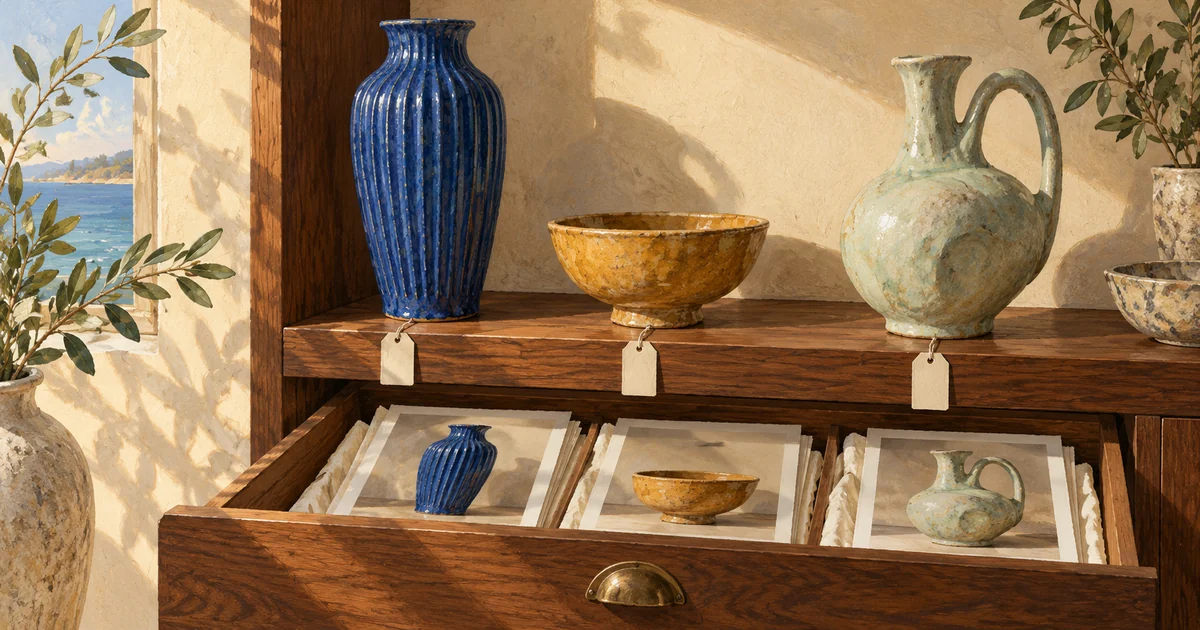
Start with one record for each physical object, a permanent item number, and photos attached to that same record. Keep confirmed details separate from guesses, then choose a spreadsheet, gallery database, or custom catalog around how you need to find things. A useful collection catalog lets you recognize an item, locate it, and understand what you actually know about it. It does not need an online store or a public website.
This is for a collector or creator in Naples or Bonita Springs whose art, ceramics, handmade pieces, or other personal objects have outgrown a phone album and a notebook. You may already know the collection well. The problem is making that knowledge easy to retrieve, update, and eventually hand to someone else without explaining every photograph from memory.
A photo album shows the object. A catalog connects the information.
An album may contain six photographs of one bowl and one photograph showing three bowls. A notebook might name a maker, while a receipt uses a different description. Searching “blue bowl” will not reliably connect those pieces. The missing ingredient is a stable identity for the physical object, independent of the photograph or the room it happens to occupy.
Give the object an ID such as C-0042. Use that ID in its catalog record and related filenames: C-0042-front.jpg, C-0042-base.jpg, and C-0042-note.jpg. Record where the object is now in a separate field. If it moves from a shelf to a storage box, change the location rather than changing its identity. Keep a pair together or split it into separate records according to how you actually handle it; write that choice down.
Do not rename or reorganize every original photo immediately. Make working copies and try the approach with a small, varied group first. Include a piece with several images, an object you know little about, and two things that look alike. Those cases reveal whether the catalog works better than a tidy demonstration of easy items.
Record what you know—and where it came from
Keep the first version small enough that you will keep using it. A useful record can contain:
- Item ID and short name: a permanent number plus a description you recognize, such as “small blue bowl with a white rim.”
- Photos: an overall view, a useful detail, and any maker’s mark or handwritten label. Associate all of them with the same object.
- Description and measurements: material, color, and dimensions you have actually checked, including the unit. Leave an unknown blank rather than filling it with a plausible answer.
- Current location and status: shelf, box, studio, or temporarily elsewhere; include when that information was last checked.
- Maker, date, and source: distinguish a signed mark, a receipt, your own recollection, and an unconfirmed attribution. Keep a photo or reference to the evidence.
- Your notes: why you kept it, what you want to investigate, and what another person would need to understand.
You do not need to turn the catalog into a valuation system. A remembered purchase price, a current asking price online, and an appraisal are different things. If insurance, a sale, or an estate decision requires a professional opinion, keep that professional’s dated document separate and identify it accurately. A catalog helps organize the evidence; it does not create expertise about an object.
A fictional Bonita Springs collection: two nearly identical bowls
Imagine a fictional collector with 36 ceramic pieces. Two small blue bowls look alike in the phone thumbnails. One has a signed base; the other has an unreadable paper label. The notebook says “bought together,” but it does not establish that the maker is the same. These are invented objects and records, not a client example.
The collector assigns C-0042 to the signed bowl and C-0043 to the other. Each record gets its own front and base photographs. C-0042 records the signature exactly as read. C-0043 says “maker unconfirmed” and keeps the label photograph. A separate note records the recollection that they were bought together. No tool is asked to turn that recollection into proof.
Later, C-0042 moves to Box 7 while C-0043 stays in the cabinet. The catalog can answer “which blue bowl is in Box 7?” and show the matching base photo. A single folder called Blue Bowls cannot do that as clearly. If a family member eventually helps with the collection, they can check the same record rather than create another list with a slightly different name.
Choose the simplest tool that supports the way you look things up
A spreadsheet and a well-kept photo folder may be enough when one person maintains the collection and mostly searches names, IDs, or locations. The tradeoff is the work of keeping photo links intact. Try opening a record from the computer or tablet you will actually use, then confirm the linked photos still open after the files are copied to your backup.
A configured gallery database becomes useful when you want to browse pictures and narrow the collection by location, maker, material, or status. For example, Airtable’s current gallery documentation describes image attachments on record cards, filtering, sorting, and choosing whether pictures fit or crop. That is an existing tool option, not a reason everyone needs a new app.
Consider a custom catalog when the ordinary tool creates a repeated obstacle: you need a simpler tablet screen, a particular way to associate objects, a controlled family handoff, or an export package the current setup cannot produce conveniently. Those are proposed features to assess against your devices, budget, and access needs. A custom interface brings hosting, maintenance, and support decisions alongside the convenience.
Before choosing a subscription, count the people who will edit, the likely number of records, and the photo storage you need. Airtable’s plans overview distinguishes limits and collaborator permissions across plans. Check current terms for the setup you intend to use. Avoid selecting a tool on a polished gallery alone when its ongoing costs or sharing controls do not fit your collection.
Keep private information separate from a shareable gallery
You might want a friend to see the objects without seeing your home storage locations, receipts, or personal notes. Decide which fields that person should see before sharing. Treat a link that anyone can forward differently from access granted to a named person. A less obvious web address is not a privacy control.
Airtable’s view-sharing guidance explains that shared-view links do not support individual email allowlists; password and domain restrictions also depend on plan. It points to collaborator or interface access for more specific sharing. Check the actual access method rather than assuming that a card with fewer visible fields makes the underlying collection private.
Keep originals and an export you can use outside the catalog. Airtable’s view-export documentation says attachment entries in a CSV contain filenames and URLs, and those download URLs expire after a few hours. A spreadsheet of those links is not a lasting copy of the photographs. Preserve the actual image files with matching item IDs, alongside the record export, and try opening that package independently.
Let AI help with clerical work, then check the object
An AI step may help transcribe a handwritten note or suggest descriptive tags from approved material. Keep that output as a draft beside its source. Have a person compare the words with the label and the physical piece. “Unclear” is useful information; an invented maker, date, signature, material, or value is a new problem.
The catalog does not require AI. Start with ordinary search and filters if those answer your questions. If you later want natural-language search, define what it should retrieve and show the underlying records with the answer. That is different work from simply asking a chatbot to describe a photograph.
Make the collection usable before adding more features
Test a few real tasks: find an object by a detail you remember, open all its photographs, update its location, and retrieve its source note. Then export the sample records and images. If another authorized person can follow those steps without your explanation, you have a useful foundation. If they cannot, fix the names, associations, or screen before importing the rest.
AI Dream Builders is an independent Naples studio offering custom software, websites, and AI integration. For a personal collection, hands-on work can mean organizing an existing inventory, configuring a gallery, or assessing a simpler custom interface. The right choice depends on what you already have. A useful first paid deliverable can be a small catalog sample with linked images, tested search and sharing, and an export you can inspect.
When you call Zechariah Myrick, say: “I have a collection, photos, and notes. I want to find each object and control who can see the details.” Mention roughly how much material you have, the device you prefer, and where the current system gets awkward. A general description is enough for the first conversation; leave private locations, receipts, and personal records out of public forms. For the separate task of turning family memories into chapters, see the family-history and memoir guide.
Sources and local context
- Getting started with Airtable gallery views — Airtable Help Center
- Airtable plans overview — Airtable Help Center
- Using the view share menu in Airtable — Airtable Help Center
- Getting started with Airtable views and exports — Airtable Help Center