
Can You Use a Real Client Case in a First AI Demo? Build a Safe Stand-In First.
By Zechariah Myrick · September 3, 2026 · 8 min read
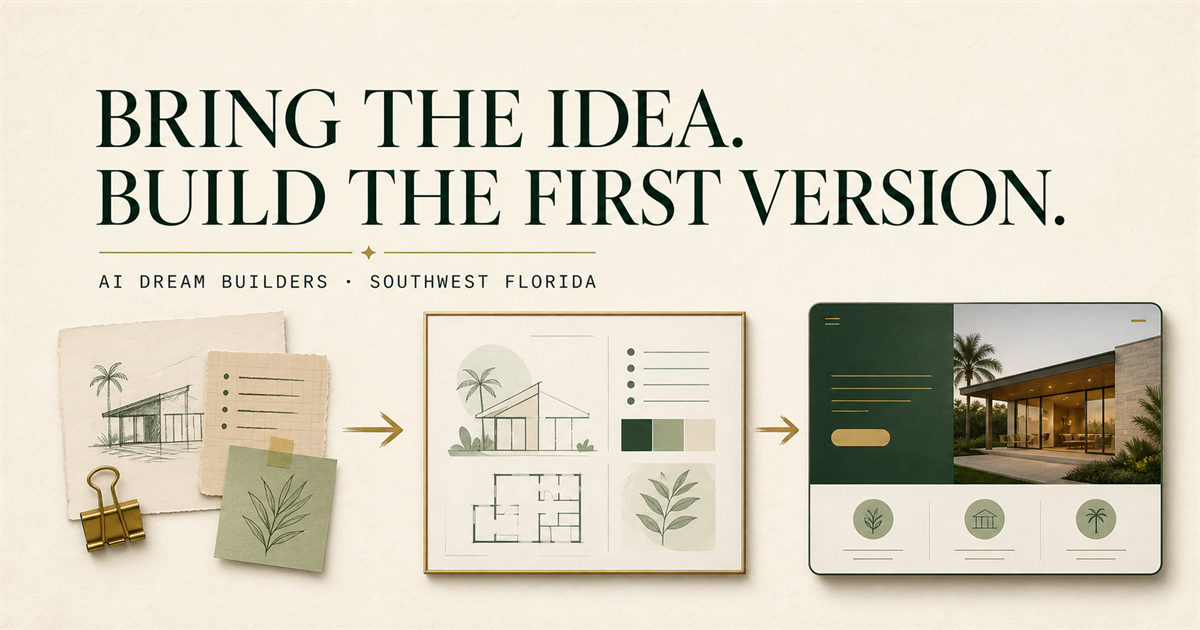
Usually, no: do not put a real client case into a general chatbot or first AI demo just because it makes the example feel realistic. Start with a safe stand-in that shows one useful interaction using approved public information, a fictional scenario, or material you are explicitly authorized to use. For a Naples or Collier County owner, professional, adviser, consultant, manager, or serious founder, that can make an idea tangible without treating a client’s details as prototype fuel.
A safe first demo can clarify whether one interaction is worth building. It does not establish permission to use a real case, customer demand, security, compliance, or a finished service.
Start with the interaction—not the real record
A real case can appear to solve the hardest part of a demo: it already has context, edge cases, and a story. But those conveniences can hide the actual question. Write the interaction first: ‘When a person sees ___, they should be able to understand or do ___, so ___ can decide ___.’ If that sentence requires names, files, account history, health details, legal facts, payment information, employee records, credentials, or proprietary material, stop before using a general AI tool.
The U.S. Small Business Administration describes market research as a way to understand customers and improve an idea. A demo is a narrower learning artifact. It can reveal whether a proposed explanation, sequence, or handoff is understandable; it cannot prove demand, supply permission, or show that a production workflow is appropriate.
Naples and Collier County are relevant because a local decision-maker can bring direct knowledge of the work and authority to decide what a first version should clarify. That local context is not evidence that a particular AI project is needed, permitted, or likely to succeed.
Build a five-part safe stand-in
Use this worksheet only with material you are allowed to discuss. It is a planning aid, not legal, security, privacy, financial, health, accessibility, or professional advice.
- 1. Name one visible moment: Describe the narrow thing a person should see, try, or review. For example: ‘A visitor compares two approved public service paths,’ not ‘the tool analyzes a client situation.’
- 2. Replace identifying detail: Use an invented person, neutral labels, rounded or changed values, and a short scenario built from public or authorized material. Do not merely remove a name while preserving a distinctive combination of facts.
- 3. Keep a source boundary: Label which parts are confirmed public facts, which are fictional demonstration details, and which are unknown. Do not let a polished sample answer imply that an unverified fact, policy, availability, or result is real.
- 4. Name the human reviewer and stop condition: State who approves the example, who checks the output, and what ends the test. Stop when the interaction needs confidential, regulated, client, employee, credential, payment, health, legal, proprietary, or other consequential information.
- 5. Write the next decision: After a small review, the accountable owner decides whether to revise the example, run a manual test, scope a bounded build, keep the work human-run, pause, or seek qualified specialist review.
Make the demo representative without making it personal
A safe stand-in should preserve the decision-relevant shape of the interaction, not the person’s identity. If a real process has two public paths, a reviewer, and an uncertain handoff, the demo can show those three elements with invented labels. If the value depends on interpreting a specific private file or deciding something about a person, a generic demo may no longer be the right first artifact. That is a reason to pause or obtain the appropriate review—not a reason to copy more detail into a prompt.
Imagine a local professional who wants to explain how prospective clients choose between two public service paths. A first version can use the approved public descriptions, a fictional visitor question, and a clear route to a human conversation. The owner can learn whether the paths are understandable. It is not a client portal, an assessment of someone’s circumstances, or evidence that the organization may use private communications in an AI system.
Keep ownership and uncertainty visible
NIST’s voluntary AI Risk Management Framework emphasizes governance, documentation, roles, oversight, and feedback. The practical first-version version is straightforward: identify the person who can approve the sample, the person who reviews the output, what information stays out, and the condition that stops the test. Those choices turn a demo from an attractive mockup into an accountable learning step.
Separate confirmed facts, assumptions, and unknowns. ‘This public service description is current’ is a fact to verify. ‘Visitors will understand these two paths’ is an assumption to test. ‘Whether a later system can use real client material’ is an unknown until appropriate permission, controls, and qualified review exist. A demo should make that uncertainty clearer, not conceal it.
What ChatGPT can help with—and where it stops
ChatGPT can help turn an approved public summary into a fictional scenario, identify where an example needs a human handoff, or draft labels for facts, assumptions, and unknowns. A bounded request could be: ‘Using only this approved public information, create a fictional demonstration scenario that shows one interaction, labels unknowns, and names a human handoff. Do not invent client facts, permission, results, policies, availability, or compliance.’ A responsible person must review the result before using it.
ChatGPT cannot decide whether information may be used, de-identify material reliably in every context, make a consequential recommendation, establish privacy or security, or accept accountability for a client-facing outcome. Do not place confidential, regulated, client, employee, credential, payment, health, legal, or proprietary details in a public form or general chatbot.
Who this fits—and who should pause
This fits a capable decision-maker with a real idea, a public explanation or safe summary, and a desire to make one useful interaction visible with patient one-to-one help. It is useful when someone has notes, a sketch, a website question, or a ChatGPT conversation but needs to show the shape of a first version without exposing a real person’s information.
It does not fit an attempt to shortcut consent, analyze private files through a general tool, make decisions about people, or demonstrate a sensitive, regulated, accessibility-critical, or consequential workflow without the appropriate qualified review. In those situations, the most useful next step may be a written question for the responsible owner or specialist, not an AI demo.
Turn a safe stand-in into a useful next conversation
For the human approach behind a first version, see Zechariah’s background and working approach and how to choose accountable AI project help. Agree on permissions, privacy boundaries, and responsibilities before sharing project material; this worksheet helps make a safe, representative interaction visible.
If you can bring one approved public explanation or safe summary, the interaction you want to make visible, and the decision it should clarify, bring them to an idea-to-prototype conversation. You bring the experience and material you are allowed to discuss. Zechariah helps choose and build the smallest useful version—and identify when a manual test, a human-run process, or specialist review is the more accountable next move.
Sources and local context
- Market research and competitive analysis — U.S. Small Business Administration
- AI Risk Management Framework — National Institute of Standards and Technology
- NIST AI RMF Core — National Institute of Standards and Technology