
Do You Need a Login for a First AI Prototype? Usually, Test the Core Moment First.
By Zechariah Myrick · September 5, 2026 · 8 min read
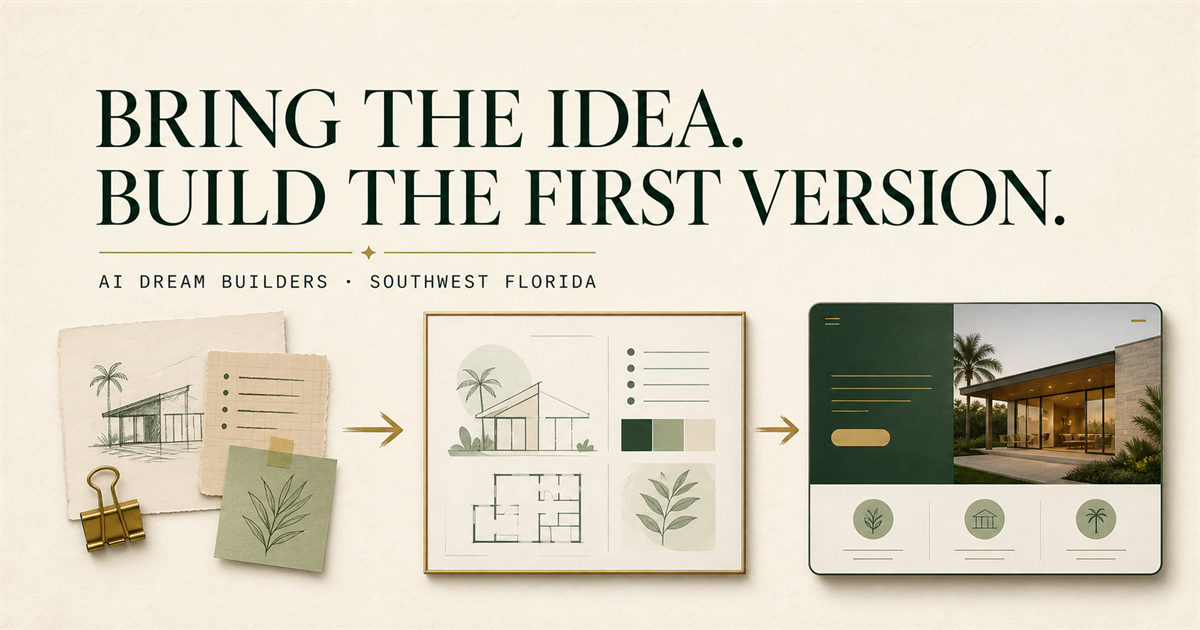
Usually, no: a first AI prototype does not need a login just because the eventual idea might. Start by making one approved public or fictional interaction visible, then ask whether an account is required to learn the next important thing. For a Naples or Collier County owner, professional, adviser, consultant, manager, or serious founder, skipping accounts and private records can turn a vague build into a tangible, reviewable first version without quietly taking on access, data, and support promises.
A no-login prototype can clarify whether one interaction is understandable or useful. It does not establish demand, authorization, security, identity verification, accessibility, compliance, or readiness for a customer-facing account system.
Test the core moment before the account system
A login can feel like proof that an idea is real. It can also conceal the question the first version needs to answer. Write that question in plain language: ‘When someone sees or tries ___, can they understand or do ___ so the accountable owner can decide ___?’ If the answer can be explored with approved public information, an invented scenario, or a static sample, a password is probably not the first thing to build.
The U.S. Small Business Administration describes market research as a way to understand customers and improve an idea. A prototype is a narrower learning artifact. It may help a decision-maker see whether a workflow, explanation, or handoff makes sense. It cannot prove that people will sign up, grant permission to collect their information, or show that a future account experience is appropriate.
Naples and Collier County provide local decision context: an established professional or owner can bring direct knowledge of the work and authority to choose what the first version should clarify. That is not evidence that a particular AI product is needed, wanted, permitted, or likely to succeed.
Use a five-question access check
Answer these questions using only material you are allowed to discuss. This is a planning aid, not legal, privacy, security, accessibility, financial, health, or professional advice.
- 1. What is the one visible moment? Name what a person should see, try, compare, or review. For example: ‘A visitor compares two approved public service paths,’ not ‘a system analyzes a customer account.’
- 2. What decision would the first view clarify? Choose a small decision such as whether the explanation is clear, whether the next step is visible, or whether a manual test is better. ‘Build a full member platform’ is not a first-version decision.
- 3. Can a safe stand-in show it? Use approved public material, a fictional person, neutral labels, or an authorized sample. Do not remove a name while retaining a distinctive combination of private facts.
- 4. What would a login actually add? Be precise: saved progress, an approved person-specific view, a later handoff, or a limited role. If the answer is only ‘it will feel more complete,’ defer it.
- 5. Who owns the boundary and stop condition? Name the person who approves the sample, reviews the output, and stops the test when it reaches confidential, regulated, client, employee, credential, payment, health, legal, proprietary, or other consequential information.
Three first-version paths
Path A: a public, no-login example. Use this when the question is whether someone understands one approved explanation, comparison, or next step. A simple web page or clickable concept may be enough. It should not imply that a visitor’s situation has been assessed or that a result is personalized.
Path B: a fictional, no-login walkthrough. Use this when the interaction needs a little context but not a real person’s record. Invent the details, clearly label the scenario, keep facts, assumptions, and unknowns separate, and ask a reviewer whether the sequence is understandable. This is often enough to test the shape of a future experience.
Path C: pause before accounts. Pause when the first useful interaction depends on identity, private files, eligibility, a decision about a person, payment, credentials, regulated information, or an authoritative record. Those are not reasons to push ahead with a quick login screen. They are reasons to define the appropriate permissions, data handling, responsible owner, and qualified review before building.
Keep ownership and uncertainty visible
NIST’s voluntary AI Risk Management Framework emphasizes governance, documentation, roles, oversight, and feedback. In a small prototype, that means naming the person who approves the sample, what is allowed into the prototype, who checks the visible output, and what ends the test. A login does not create those controls by itself.
Separate confirmed facts, assumptions, and unknowns. ‘This is an approved public description’ is a fact to verify. ‘People will understand this explanation without an account’ is an assumption to test. ‘Whether a later product can use real account information’ is an unknown until appropriate permission, controls, and qualified review exist. A polished prototype should make those distinctions clearer, not hide them behind a sign-in screen.
What ChatGPT can help with—and where it stops
ChatGPT can help turn an approved public explanation into a fictional walkthrough, list the questions an account would need to answer, or draft labels for facts, assumptions, and unknowns. A bounded request could be: ‘Using only this approved public information, outline one no-login prototype interaction, one fictional scenario, a human review point, and a stop condition. Do not invent customer facts, permissions, security controls, eligibility, results, policies, or availability.’ A responsible person must review the result before it is used.
ChatGPT cannot decide whether a person may access information, determine whether an account is secure, grant permission to collect or use data, make a consequential recommendation, establish compliance, or accept accountability for a user-facing outcome. Do not put confidential, regulated, client, employee, credential, payment, health, legal, or proprietary details in a public form or general chatbot.
Who this fits—and who should pause
This fits a capable decision-maker who has a real idea, notes, a sketch, a website problem, or a ChatGPT conversation and wants to make one safe interaction tangible before committing to broader product work. The paid-worthy outcome is an accountable choice: a public example, a fictional walkthrough, a manual test, a more defined access plan, or a pause for specialist review.
It does not fit an attempt to use a prototype as a shortcut around consent, identity checks, private records, accessibility requirements, or professional judgment. If the value depends on a real person’s circumstances or sensitive information, the most useful next step may be a written boundary question for the responsible owner or specialist rather than a general AI prototype.
Turn the access question into a useful build conversation
For the human approach behind a first version, see Zechariah’s background and working approach and the related guide on choosing a web page, clickable concept, manual workflow, or small app. That guide helps select the format; this access check helps decide whether accounts belong in it yet.
If you can bring a safe summary of the idea, one interaction someone should see or try, and the decision a login seems necessary for, bring them to an idea-to-prototype conversation. You bring the experience and material you are allowed to discuss. Zechariah helps choose and build the smallest useful version—and identify when a manual process, an access plan, or specialist review is the more accountable next move.
Sources and local context
- Market research and competitive analysis — U.S. Small Business Administration
- AI Risk Management Framework — National Institute of Standards and Technology
- NIST AI RMF Core — National Institute of Standards and Technology